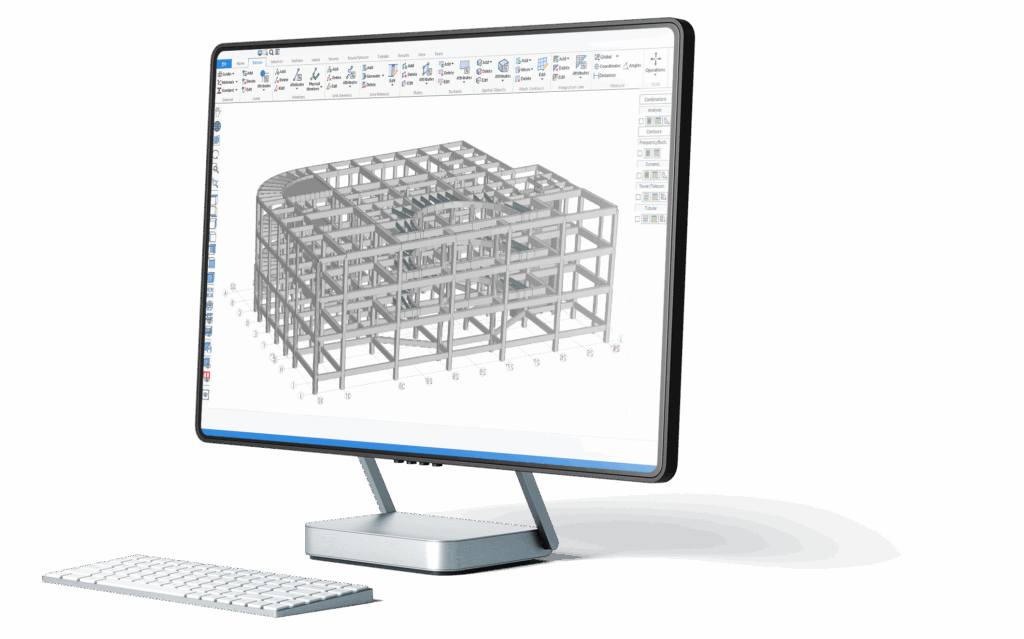

SAFI™ Structural Software
Industry-leading structural engineering software trusted by professionals worldwide since 1986.
Licensing Tutorials
Get Started
Virtual Tower Structures® (VTS)
Toolbar Overview (Classic interface)
Basic Functions - Modeling
Basic Functions - Loads
Basic Functions - Mesh
Basic Functions - Joints
Basic Functions - Members
Basic Functions - Materials
Basic Functions - Sections
Basic Functions - Plates
Advanced functions
Licensing Tutorials
Licensing tutorials
- Activate a new standalone license
How to install and activate SAFI™ Standalone Desktop Licensing on Windows.
For licensing information, support, and assistance, please visit our Support Center: https://safi.com/support-center/
- Update an existing standalone license
How to update an existing SAFI™ Standalone Desktop Licensing on Windows.
For licensing information, support, and assistance, please visit our Support Center: https://safi.com/support-center/
- Transfer a standalone license
In this tutorial, we’ll demonstrate how to transfer a standalone license, provided your license supports this feature.
For licensing information, support, and assistance, please visit our Support Center: https://safi.com/support-center/
Get Started
Getting started with SAFI™ Structural Software
- Getting started - Create your first model
In this tutorial, we walk through how to create a simple structural model in SAFI™ using the main tools found in the Home tab.
(11:17 minutes)
- Home Tab Overview (Ribbon interface)
This tutorial provides an overview of the Home tab in the ribbon interface, highlighting its main tools and commands.
(7:08 minutes)
- Edition Tab Overview (Ribbon interface)
This tutorial provides an overview of the Edition tab in the ribbon interface, highlighting its main tools and commands. The Edition tab contains all the modeling commands organized into several sections: General, Joints, Members, Link Elements, Line Releases, Plates, Surfaces, Spatial Objects, Mesh Contours, Integration Lines, Walls, Measure and Tools.
(6:18 minutes)
- Selection Tab Overview (Ribbon interface)
This tutorial provides an overview of the Selection tab in the ribbon interface, highlighting its main tools and commands. The Selection tab provides tools to manage the selection of the model. This tab is organized into various sections such as Selection, Groups, Elements Selectability, and Selection Method.
(4:38 minutes)
- View Tab Overview (Ribbon interface)
This tutorial provides an overview of the View tab in the ribbon interface, highlighting its main tools and commands.
(4:17 minutes)
Virtual Tower Structures® (VTS)
Virtual Tower Structures® (VTS) Tutorials
- Cap Plate Command Tutorial
In this tutorial, we walk through the full process of creating a cap plate, defining connector dimensions, configuring bolt parameters, adding clips, and generating holes in the fabrication model using the VTS Virtual Tower Structures® software.
(3:24 minutes)
- Weld Splice Command Tutorial
In this tutorial, we explore how to use the Weld Splice command in Fabrication Mode using the VTS Virtual Tower Structures® software. We walk through the complete workflow—from defining connection schemas in Engineering Mode to assigning welded splices, regenerating the models, and specifying weld parameters.
(1:54 minutes)
- How to define a Type 3 Rigid Connection
In this tutorial, we walk through the steps to define a Type 3 rigid beam-column connection using the VTS Virtual Tower Structures® software.
(2:48 minutes)
- How to define a Rigid Connection for a Cantilever Beam
In this tutorial, we demonstrate how to define a rigid connection for a cantilever beam using the VTS Virtual Tower Structures® software.
(1:44 minutes)
- How to adjust the beam diagonal layout for a Rigid Connection
In this tutorial, we show how to adjust the beam diagonal layout for a rigid connection using the VTS Virtual Tower Structures® software.
(2:36 minutes)
- How to create a Base Plate
In this video, we walk through the complete process of creating a base plate for a tower using the VTS Virtual Tower Structures® software.
(4:27minutes)
- Explore the different base plate types available
Learn how to explore and configure the different base plate types available in VTS Virtual Tower Structures® software.
(1:43 minutes)
- How to Create Gussets for Vertical Bracings
In this tutorial, we walk through the full process of creating gussets for the vertical bracings of rigid connections using the VTS Virtual Tower Structures® software.
(2:38 minutes)
Toolbar Overview (Classic interface)
Toolbar overview (Classic interface)
- Main Toolbar Overview (Classic interface)
Toolbars are used to access the most common commands. Watch this webinar for a full review of the Main Toolbar in SAFI™ using the Classic interface.
(9:02 minutes)
- Camera Toolbar Overview (Classic interface)
Toolbars are used to access the most common commands. Watch this webinar for a full review of the Camera Toolbar in SAFI™ using the Classic interface.
(9:37 minutes)
- Selection Toolbar Overview (Classic interface)
Toolbars are used to access the most common commands. Watch this webinar for a full review of the Selection Toolbar in SAFI™ using the Classic interface.
(12:20 minutes)
Basic Functions - Modeling
Basic Functions - Modeling
- Getting started - Create your first model
In this tutorial, we walk through how to create a simple structural model in SAFI™ using the main tools found in the Home tab.
(11:17 minutes)
- Grids
The Grids command allows to define the parameters of the grid which will be used to create the geometry in SAFI.
(12:48 minutes)
- Move, Copy, Extrude
Watch this webinar for an overview of the Move, Copy, Extrude command in SAFI.
(7:25 minutes)
- Rotate, Copy, Extrude
Watch this webinar for an overview of the Rotate, Copy, Extrude command in SAFI.
(8:43 minutes)
- Integration lines
The integration line command allows to associate a group of plates and/or members to a reference axis system. Watch this webinar for an overview of the integration line command in SAFI.
(6:47 minutes)
- Integration lines - Core
Watch this webinar for an overview of the core integration line in SAFI.
(4:40 minutes)
Basic Functions - Loads
Basic Functions - Loads
- Loading Surfaces
Users can create loading surfaces using the command Add a load surface from the edition toolbar. Watch this webinar for an overview of the loading surface command in SAFI.
(5:52 minutes)
- Basic loads and Load combinations
Watch this webinar for an overview of basic loads and load combinations in SAFI.
(8:36 minutes)
- Load visibility command
Watch this webinar for an overview of the load visibility command in SAFI.
(2:17 minutes)
- Self-weight load command
Watch this webinar for an overview of the self-weight load command in SAFI.
(1:28 minutes)
- Joint Loads
Watch this webinar for an overview of the joint loads command in SAFI.
(2:24 minutes)
- Member concentrated loads
Watch this webinar for an overview of concentrated loads on members in SAFI.
(3:44minutes)
- Member Uniform Loads
Watch this webinar for an overview of uniform loads on members in SAFI.
(3:04minutes)
- Member Thermal Loads
Watch this webinar for an overview of the thermal loads on members in SAFI.
(3:57minutes)
- Plate Loads
Watch this webinar for an overview of plate loads in SAFI.
(3:45 minutes)
- Contour Loads
Watch this webinar for an overview of contour loads in SAFI.
(3:21 minutes)
- Surface Loads
Watch this webinar for an overview of the surface loads in SAFI.
(6:45minutes)
- Calculate Loads C.G.
Watch this webinar for an overview of the calculate loads C.G. command in SAFI.
(2:34 minutes)
Basic Functions - Mesh
Basic Functions - Mesh
- Mesh Generation
Meshing is a tool allowing to graphically create finite element plates using a contour. Watch this webinar for an overview of mesh generation in SAFI.
(5:58 minutes)
- Mesh Refinement Area
Watch this video for an overview of how to create a refinement area in a mesh contour in SAFI.
(5:35 minutes)
- Mesh Openings
The generation of openings in a model can be used in various ways to further detail a meshing model. Watch this video for an overview of openings in mesh contours in SAFI
(3:28 minutes)
- Mesh Constraints
There are two types of constraints users can add: linear constraint and point constraint. Watch this video for an overview of constraints in mesh contours in SAFI.
(3:29 minutes)
Basic Functions - Joints
Basic Functions - Joints
- Joints
Joints represent points of connection between structural members and plates. Watch this webinar for an overview of the joints in SAFI.
(8:12 minutes)
- Joints - Supports
Joint supports can be specified in the Joint Attributes command. Watch this webinar for an overview of the joint supports in SAFI.
(6:16 minutes)
- Joints - Springs
Springs are applied between a joint of the structure and the ground. Watch this webinar for an overview of the joint springs in SAFI.
(8:46 minutes)
- Imposed Displacements
The imposed displacements can be defined using the Joint Attributes command. Watch this webinar for an overview of the imposed displacements command in SAFI.
(3:59 minutes)
- Slab on grade Springs
The slab on grade springs command adds soil springs to model a raft foundation. Watch this webinar for an overview of the slab on grade springs command in SAFI.
(4:42 minutes)
Basic Functions - Members
Basic Functions - Members
- Members
Members are structural objects to model elements such as beams, columns, braces, etc. Watch this webinar for an overview of the members in SAFI.
(5:03 minutes)
- Members - Operations
Watch this webinar for an overview of the various operations users can do after adding members to the model in SAFI.
(6:11 minutes)
- Physical Members
Physical members are defined as members made of several continuous aligned members. Watch this webinar for an overview of the physical members.
(5:49 minutes)
- Member Offsets
The offsets influence the distribution of forces in the structure. Watch this webinar for an overview of the member offsets in SAFI.
(11:09 minutes)
- Members - General Attributes
Watch this webinar for an overview of the general attributes of members in SAFI.
(10:27 minutes)
- Member Deflections
Watch this webinar for an overview of member deflections in SAFI.
(8:34 minutes)
- One-way Members
Watch this webinar for an overview of one-way members in SAFI.
(7:05 minutes)
Basic Functions - Materials
Basic Functions - Materials
- Materials
The materials command allows to define material properties of each material used in the model. Watch this webinar for an overview of materials in SAFI.
(3:17 minutes)
Basic Functions - Sections
Basic Functions - Sections
- Section Library Editor
Watch this webinar for an overview of the section library editor command in SAFI.
(3:13 minutes)
- Standard and Non-Standard Sections
Watch this webinar for an overview on how to create standard and non standard sections in SAFI.
(9:27 minutes)
- Built-up Sections
Built-up sections are built from other existing sections. Watch this webinar for an overview of built-up sections in SAFI.
(11:49 minutes)
- Tapered Sections
Tapered sections are sections for which the dimensions vary according to the position of the physical member. Watch this webinar for an overview of tapered sections in SAFI.
(9:24 minutes)
Basic Functions - Plates
Basic Functions - Plates
- Plates
The plate elements can be created one at a time or in series. Watch this webinar for an overview of plates in SAFI.
(3:12 minutes)
- Plate Attributes
Watch this webinar for an overview of plate attributes in SAFI.
(5:14 minutes)
- Plate Subdivisions
Watch this webinar for an overview of the subdivision command for plates in SAFI.
(3:15 minutes)
Advanced functions
Advanced functions
- Spatial Objects
Spatial objects are used to model non-structural secondary elements attached to the structure. Watch this webinar for an overview of spatial objects in SAFI.
(11:05 minutes)
- Cables
When a cable section is assigned to a member, users can specify the cable parameters using the Member Attributes command. Watch this webinar for an overview of cables in SAFI.
(13:10 minutes)